Eye Color Scanner: How It Works And How True It Is
An eye color scanner reads your photo and tells you your exact shade. But how does it work, and can you trust it? I will break it down in plain words. You will see what the scanner looks at, how it picks the color, and how true the result is. Let us go.
What Is An Eye Color Scanner
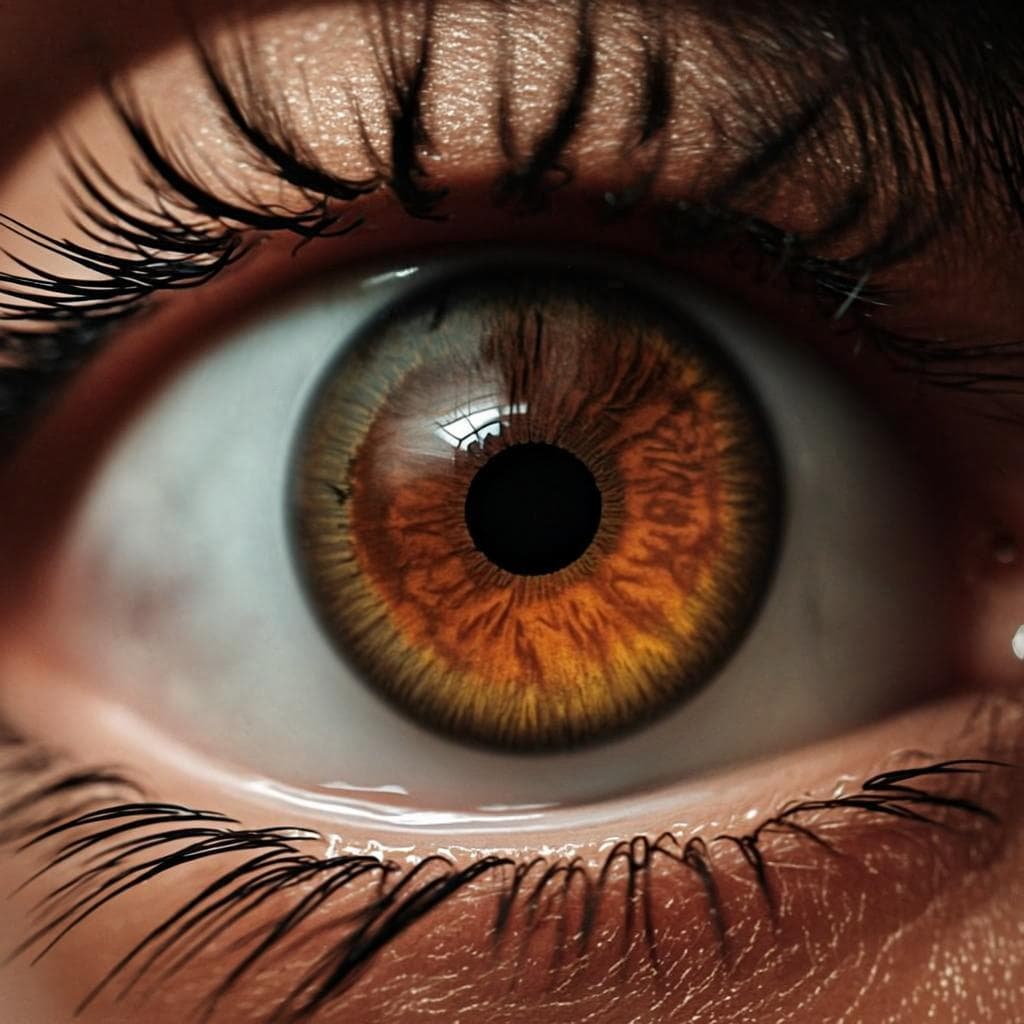
An eye color scanner is a tool that reads a photo of your eye and tells you the color. Some scanners just match your eye to a chart. Our scanner uses AI to read the photo pixel by pixel and give you the exact shade, plus more info.
You can use a scanner for fun, to pick contact lenses, to find your true color, or to learn about your iris.
How The Scanner Finds Your Iris
First, the scanner finds your eye in the photo. It looks for the round shape of the iris and the dark dot of the pupil in the middle. Then it draws a ring around the iris to mark the work area.
This step is key. If the scanner picks the wrong spot, the color will be wrong. Our AI is trained on a lot of eye photos so it can find the iris fast and right.
How The Scanner Reads The Color
Once it has the iris ring, the scanner looks at each pixel. It cuts out the pupil, since that is just black. It cuts out any glare, since that is just white light. Then it maps the rest of the pixels to a color chart.
The scanner looks at the main shade, the flecks, and the edge ring. It blends all this to give you one true name for your eye color.
- Find the iris in the photo.
- Cut out the pupil and any glare.
- Map the rest of the pixels to a color chart.
- Look at the main shade, the flecks, and the edge ring.
- Blend it all for one true name.
What The Scanner Looks For
Our scanner looks at more than just the main color. Here is the full list of what it reads.
| What | Why |
|---|---|
| Main color | names the shade |
| Undertone | warm or cool |
| How rare | share of the world |
| Limbal ring | the dark edge ring |
| Central ring | the ring near the pupil |
| Flecks and crypts | tiny dots and pits |
| Face shape | oval, round, etc |
| Eye shape | almond, round, etc |
| Hair tone | from the same photo |
| Skin tone | from the same photo |
How True Is The Result
The result is very true if your photo is clear and the light is soft. The AI looks at every pixel, which is more than your eye can do. So in most cases the scanner is more true than a chart or a guess.
But the result is only as good as the photo. If the photo is dark, blurry, or full of glare, the scan can be off. So spend one extra min on the light and the shot.
- Clear photo = true result.
- Soft day light = true color.
- No glare = true read.
- Blurry photo = off result.
- Bad light = off color.
How We Test The Scanner
We test our scanner on a lot of eye photos from all kinds of people and lights. We check it against hand picked colors to make sure it is right. We also test it on edge cases like hazel eyes, gray eyes, and eyes with a lot of flecks.
When we find a slip, we fix the model and test again. This is how we keep the scanner true over time.
What Can Make The Scan Slip
A few things can make the scan slip. Here is what to look out for.
- Bad light, like a yellow bulb.
- A photo with flash.
- A photo with a big glare on the iris.
- A blurry or soft photo.
- An eye that is too small in the frame.
- Glasses or sun glasses in the photo.
How To Get The Best Scan
Here is my list for a top scan. Do these and you will get the most true read.
- Take the photo near a window with soft day light.
- Get close so the eye fills the middle of the frame.
- Take more than one shot and pick the best.
- Take off glasses or sun glasses.
- Look a bit to the side to cut glare.
- Upload the best shot to the scanner.
How Fast Is The Scan
Our scan takes a few seconds. You upload the photo, click one button, and wait. The AI does the rest. You do not need to wait long.
After the scan, you can read your full report. You can also save the report or share it if you want.
Key takeaways
- The scanner finds your iris, cuts out glare, and maps the color.
- It looks at more than the main color: rings, flecks, face and hair too.
- A clear photo and soft light give the most true result.
- Our scan takes a few seconds and we delete your photo after.
- Take off glasses and lenses for a true read.
FAQ
Is the eye color scanner free?
Yes, our basic scan is free. You can scan one photo and get the full report at no cost.
Can the scanner read contact lenses?
It can, but the result will show the lens color, not your true eye color. Take out lenses for a true read.
Is the scanner safe for kids?
Yes. The scan is just a photo read. No flash, no test, no touch. Always help a kid with the photo.
How true is the result?
Very true with a clear photo and soft light. The AI looks at every pixel, more than your eye can do.
Find your true eye color now
Upload a clear photo, agree to the rules, and our AI scanner gives you the exact shade plus a full report in seconds.
Take the free eye color test